Great Care

What's New — v1.18.2

Released September 6, 2026

What’s new, up top
September 6, 2026
Settings opens with Activity and then What’s New with the version number, so the latest changes are the first thing you see
v1.18.1 · Edit your own details
September 6, 2026
Settings → You & sign-in starts with your profile, and it is finally editable: name, phone, WhatsApp and your sign-in email (a confirmation link finishes an email change). The section then runs Face ID / Touch ID, Password, Family PIN, Sign out
The Face ID card is shorter when this device is already covered
Fixed: an admin editing their own row under Team & sharing could have had their password reset to the family PIN. The email re-point now only runs when an email actually changes, and never for your own account
v1.18.0 · Share from the top bar
September 6, 2026
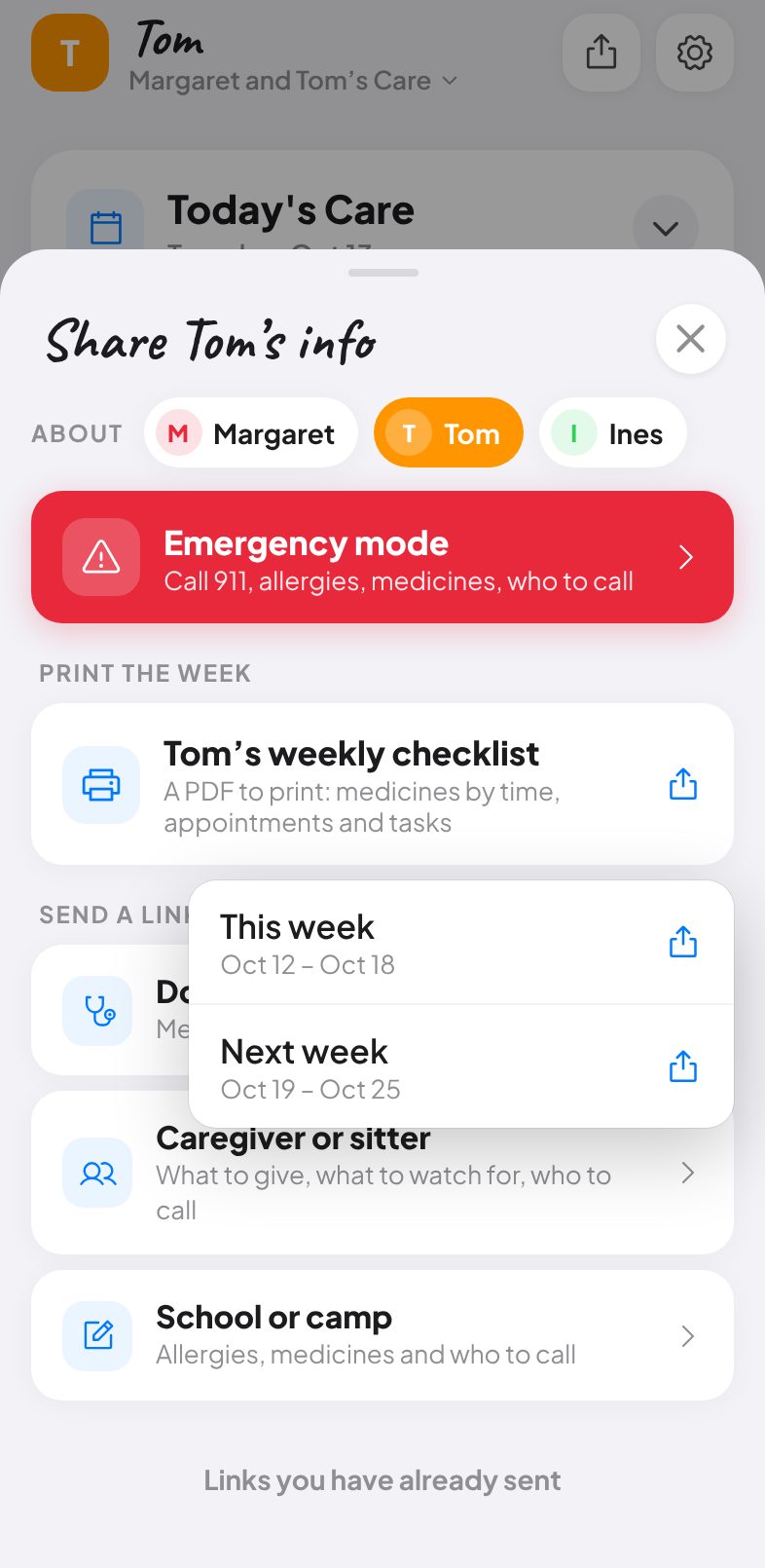
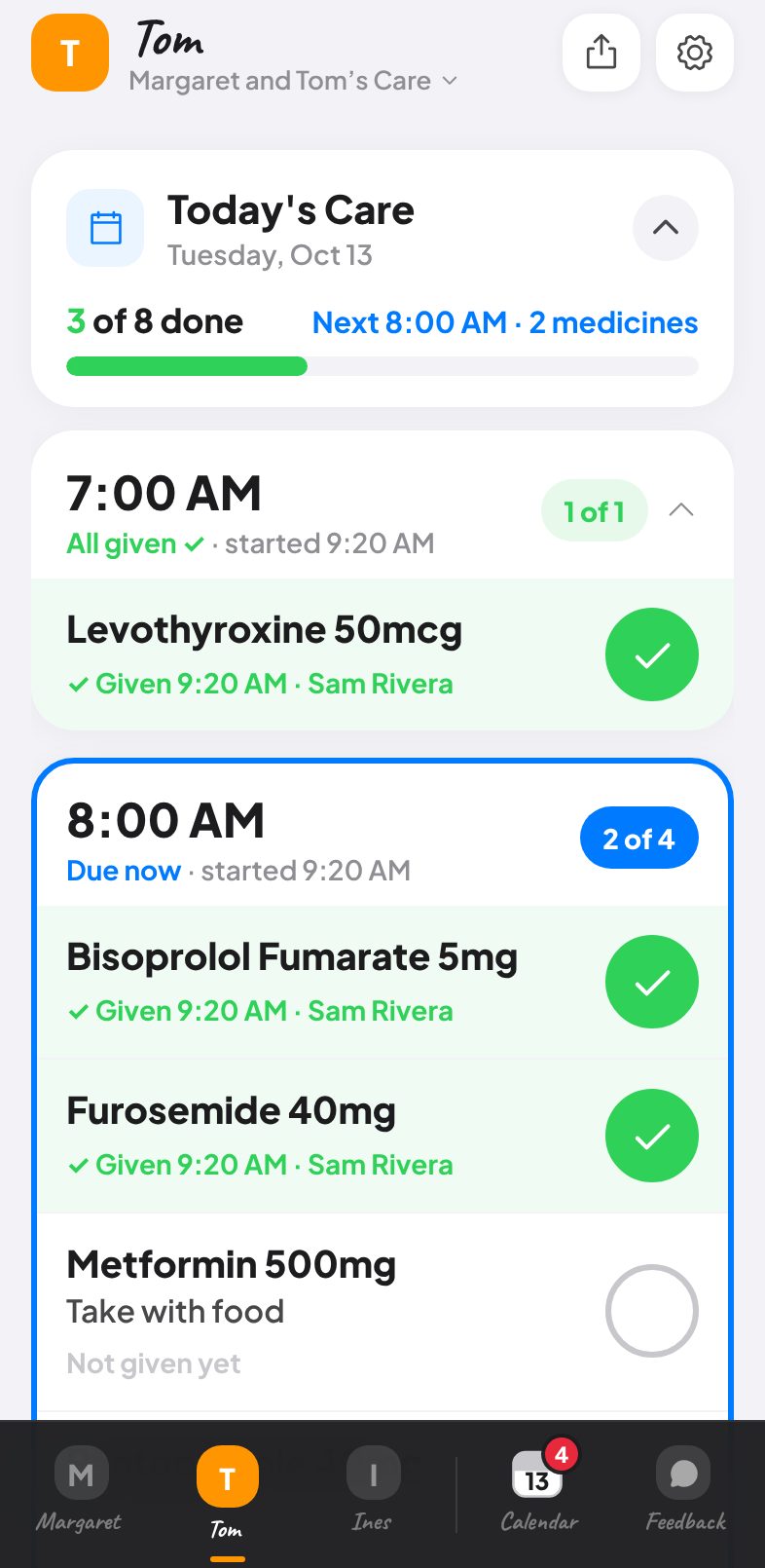
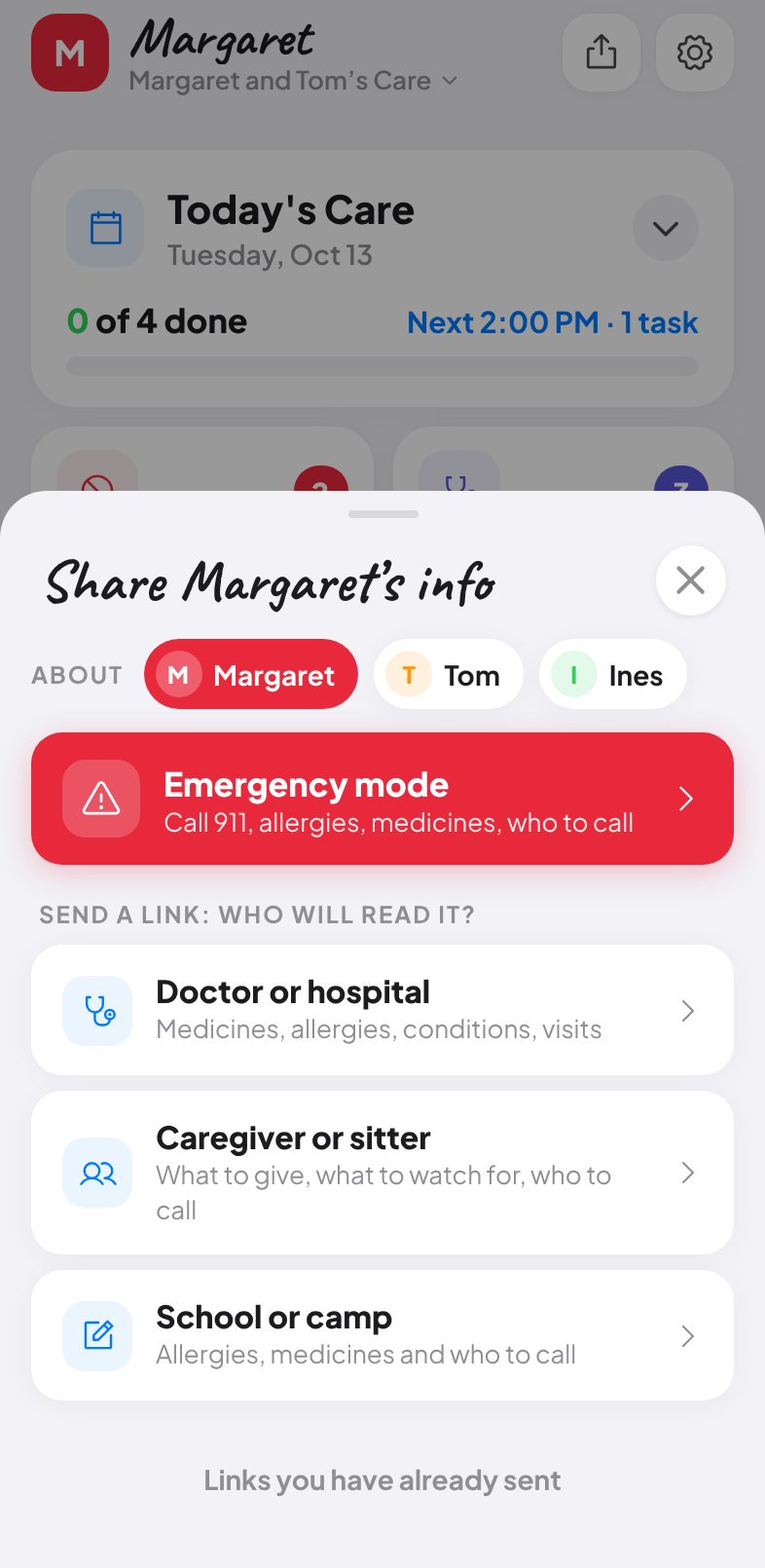
The top bar is now the group switcher, a Team & sharing button and Settings. Inviting someone, making a care link or exporting a summary is one tap from anywhere
Activity is the first row in Settings, a feed you read rather than a setting, and no longer takes a header slot
v1.17.2 · A person stays a person
September 6, 2026
If a person had ever been saved as a pet, a species left in their record kept turning them back into one even after they were switched to Person. The stored choice now always wins; the species is only used for records from before pets existed
v1.17.1 · Pages, not clipped faces
September 6, 2026
With more people than fit, the tab bar now pages: every face is whole and evenly spaced, and a line of small dots underneath shows how many pages there are and which one you are on. Swipe the row or tap a dot. No half-hidden avatar, no chevron, and the order never changes
v1.17.0 · Settings, designed once
September 6, 2026
Settings now reads top to bottom as six plain groups. This group: name and colour, people & pets, team & sharing, time zone, plan & billing. You & sign-in: who you are, the Family PIN, Face ID / Touch ID, password, sign out. App: appearance. Help & support: install on your phone, contact support, speed check, restore a missing group. About: what’s new and the legal pages. Danger zone: delete the group or your account
“Is the app slow?” is now simply “Speed check” under Help, and People & pets carries its own heading inside its card
v1.16.0 · A new mark, and dark mode everywhere
September 6, 2026
The Great Care mark is redrawn: a warm coral-to-red gradient tile lit from the top left, with a single white heart and a soft shadow. It is one component used on the splash, the login page, the paywall, What’s New, the home-screen icon and the website
Light and dark mode now reach every page, not just the app: login, choose-a-password, the account page and the legal pages follow your choice (or the phone’s setting) with no flash on load
Settings groups everything about getting in under one heading, Sign-in & account: who you are signed in as, the Family PIN, Face ID / Touch ID, your password and Sign out
v1.15.2 · Updates reach the installed app
September 6, 2026
A copy of Great Care added to the home screen can stay open for days and never see a fix. The app now checks the server’s version when it opens, whenever it comes back to the foreground and every ten minutes, and shows “Great Care x.y.z is ready · Update” when a newer build is live. One tap reloads
Every close button is the same 36 px circle with the same mark, and every call, email, WhatsApp and map circle is the same 36 px, in the people list, contacts, medications, advocate and caregivers. A check in the harness now fails if any of them drift
v1.15.1 · No more empty flash; one way to reorder
September 6, 2026
Switching groups no longer flashes “This group is empty” for a moment. While a switch or refresh is still in flight the app shows the loading placeholders; the empty prompt appears only when a load has genuinely finished with nobody in the group
Contacts reorder by dragging the grip in Edit mode, exactly like people in Settings and Customize Sections. Every list in the app now reorders the same way
v1.15.0 · One place for everything
September 6, 2026
The gear menu is gone. The top bar is now the group switcher, an Activity button and a Settings button, and each screen is reachable from exactly one place
Team & sharing lives inside Settings, under the group, and closing it brings you back to Settings
The group switcher only switches: your groups and Create new group. Editing a group’s name, colour and icon is in Settings, where it always was
“Missing a group? Find and restore it” no longer sits in the switcher. The app checks quietly once per session and only offers a Restore row when it actually finds a group you belong to; the manual check is under Settings → Group settings
v1.14.3 · Drag to reorder sections
September 6, 2026
Customize Sections no longer has tiny up/down arrows. Each row has a grip at the right: press it and drag the section into place, the same way people are reordered in Settings. Keyboard arrows on the grip still move a row one step
v1.14.2 · Close buttons are centred
September 5, 2026
Every ✕ in the app (Settings, Team & Sharing, Activity, Emergency, the recorder, documents, toasts and delete circles) was a text character that Apple’s fonts draw low and to the right, so the mark sat off-centre in its circle. All 22 of them are now the stroke icon from the icon set, measured within 0.01 px of centre
v1.14.1 · A quieter "more people" cue
September 5, 2026
The "+2" chip in the tab bar is gone. When there are more people than fit, the last one is cut in half at the edge, a plain chevron from the icon set sits in its own lane beside it, and the row peeks sideways once so the movement itself shows it scrolls. Tap the chevron to slide along
v1.14.0 · Settings, reorganised
September 5, 2026
Settings now answers three questions in order: this group (name, team & sharing, people & pets, family PIN, time zone), the plan, the app (theme, what’s new, speed check, legal), and you (who you are signed in as, Face ID / Touch ID, password, sign out). Deleting the group or your account sits in a Danger zone at the very bottom
Face ID / Touch ID lives inside Settings → You, with your passkeys listed and an Add button, instead of on a separate page. The password moved out of “Group settings”, where it never belonged, to the same place
The menu is Activity, Team & Sharing and Settings; the duplicate “My account” item is gone. Team & sharing is also a row at the top of Settings
The first-login “Skip the PIN next time” step uses the same Face ID card
v1.13.6 · Synced passkeys are understood
September 5, 2026
A passkey made on your iPhone is synced by iCloud Keychain to your iPad and Mac, so those devices could already sign in with Face ID or Touch ID. Sign-in & Security now says so instead of offering to add the device again and showing the browser’s "previously registered" error; the login screen offers Face ID there straight away
Passkeys are named after the device that made them (iPhone, iPad, Mac, Android phone, Windows PC), and failed enrolments explain the cause in plain words
v1.13.5 · You can see there are more people
September 5, 2026
With five or more people and pets, the tab bar now shows exactly half of the next person at the edge and a "+2" chip that says how many more there are; tap it to slide to them. The chip changes side as you scroll and disappears when everyone is in view
v1.13.4 · Headers line up
September 5, 2026
The close and action buttons beside handwritten titles (Settings, Team & Sharing, Activity, the person’s name, Emergency) now sit on the centre of the letters themselves rather than the text box; the difference was up to 4 px and is now within half a pixel on every screen, and a check keeps it that way
v1.13.3 · A proper dissolve; a tab bar that never shrinks
September 5, 2026
Switching people or groups no longer goes see-through: the old page stays solid and thins away to reveal the new one, under the header and tab bar, so nothing doubles up or flickers
With five or more people and pets the tab bar keeps everyone at full size and slides sideways instead of shrinking; the one you tap is kept in view
v1.13.2 · Turn a person into a pet; a paw you can see
September 5, 2026
Editing anyone in Settings now offers a Person / Pet switch, so a pet added before pets existed (or by mistake as a person) can be corrected in place and gets the pet sections at once
The paw on the tab bar is now solid, so it reads on the dark bar even when the tab is not selected
v1.13.1 · Pets stay put in the tab bar
September 5, 2026
Fixed: a newly added person or pet could jump from the far right of the tab bar to near the front after the next load. New entries now take the next position on every device
The paw on a pet’s tab, avatar and Add pet row is now a proper icon that takes the tab’s colour, so it reads clearly on the dark bar
v1.13.0 · Pets done properly; smoother switching; the design system in one place
September 5, 2026
A pet’s page now has pet sections: Pet details (species, breed, birth date, sex, weight, microchip, markings, insurance), Vaccinations with next-due dates and an overdue flag, Feeding & routine (food, feeding times, walks, grooming, toilet, behaviour), Vet & contacts, Vet & places, and Medications & treatments. Health Card, MOST plan, Medical Advocate and the human healthcare card no longer appear for pets, and Customize uses the pet words
Editing a pet shows species and breed, not phone and email. A pet stays a pet even on a database that has not had the pets migration yet
Switching between people now dissolves like a group switch does, and cards no longer replay their entrance animation every time you change tab, which was the jitter
For the team: tokens, icons and every primitive now live in one place (lib/tokens.js, components/gc/icons.jsx, components/gc/ui.jsx) with a component gallery at /dev/gallery
v1.12.1 · Quieter actions
September 4, 2026
Task, medication and contact rows no longer carry three blocks of solid colour: Claim and Edit are quiet tinted pills, Delete is red text on the right, the same on every row
v1.12.0 · Settings rebuilt
September 4, 2026
People & pets is now a proper list: tap a person or pet to edit them in a sheet with its own close button; tap Edit to reorder by dragging the handle (or with the arrow keys) and to remove with the red circle; Add person and Add pet sit at the foot of the list
Settings is organised in the order you would look for things: Group, People & pets, Plan & billing, Group settings (PIN, admin password, time zone), App (appearance, what’s new, speed check) and Account
One heading style, one card style and one spacing rhythm throughout Settings
v1.11.1 · Names never clip
September 4, 2026
Fixed: a person’s or pet’s handwritten name in Settings could lose its last letter. Names now keep breathing room on the right and wrap to a second line when they are long, and are never cut mid-letter
v1.11.0 · Headshots, dissolves instead of cuts
September 4, 2026
A photo for every person and pet: tap the picture while editing them in Settings. It shows in the tab bar, at the top of their page, in Emergency Mode, on Care Links and in both printed exports
Every whole-screen change now dissolves instead of cutting: the opening splash fades into the app, a group switch cross-fades from the old group to the new one, and the loading state fades into the records. The same rule applies to everything added from now on (docs/design-language.md)
v1.10.0 · Pets, Paddle payments, usage allowances
September 4, 2026
Pets join the family: add a dog, cat, horse or any animal next to the people you care for, with species, breed, weight, microchip and insurance under Vitals, vet contacts, medications and tasks. Pet Emergency calls your vet with one tap. A Pet Care plan ($4.99) is for households with only animals; every other plan includes pets
Payments now go through Paddle, which handles sales tax and VAT worldwide and issues the invoices; the checkout opens in the app and the customer portal covers cards, invoices and cancelling
Each plan includes a monthly allowance of recording transcription minutes and AI actions and a document storage limit; Settings shows what has been used and when it resets
Give a month, get a month: share your group code from Settings; when a family you invite chooses a plan, you both get a free month
Fixed: Customize toggles did not stick in the live app (the preference column is text there); they now save correctly
The group-switch banner no longer shows a time estimate
v1.9.0 · Plans and payments, faster on slow connections
September 4, 2026
Every family group starts with a 14-day free trial of the Family plan, no card needed. When it ends, a group admin chooses Essentials, Family or Care Team (monthly or yearly) and pays securely through Stripe; everyone else in the group carries on as before
Settings shows the plan, trial days left or the renewal date, and a Manage billing button for the card, invoices and cancelling
Plan limits (people in care, members) are explained where you would hit them, with the plan that lifts them
The sign-up form asks you to agree to the Terms and Privacy Policy, and the Terms now describe plans, trials and billing; existing users are asked once to accept the new version
Faster on weak signal: the calendar loads the last 90 days plus everything upcoming and fetches older history only when you scroll back to it; documents and app chunks no longer download while your records are still loading
v1.8.0 · Vitals, reorder people, a clearer menu
September 4, 2026
A new Vitals section on each person: date of birth (with age), sex, height, weight, blood type, eye and hair colour. Emergency Mode and its copied summary now lead with date of birth and blood type
People in Care can be reordered in Settings: tap Edit and use the up and down arrows; the order is saved for everyone in the group
The menu now reads Activity, Team & Sharing, Settings and My account, and Settings groups things where you would look for them: Family PIN & admin, then a Help section with the speed check
Quick Fill also picks up vitals written on a health card, letter or note
Fixed: the Customize Sections toggles flipped straight back; hidden sections and the section order are now saved and survive a refresh
Fixed: after a group switch during a slow load, the previous group's people could appear under the new group's name
Faster switching: any document download still running is cancelled before the access check, and if that check stalls past 2.5 s the server route is raced alongside it
The group switcher shows a colour dot per group instead of avatar tiles, with an Edit row that opens the name, colour and icon editor
Medications: the Edit link sits beside the search field instead of floating on its own line
v1.7.9 · Alignment pass
September 4, 2026
Every screen was measured for text and cards sitting a few pixels off the shared alignment rails, and each one was corrected: the Add to Home Screen banner, the What's New card, the Settings section headings and the Team & Sharing quick cards
One close button for Settings, Team & Sharing and Activity, sized and placed identically
v1.7.8 · Set up a person without typing; calmer edit controls
September 4, 2026
A new person's page offers "Set up in a couple of minutes": snap the pill bottles, a pharmacy printout, a letter or a health card, or just describe them out loud, or paste text. Medications, allergies, conditions, doctors, pharmacy and emergency contacts are read out, shown for a quick tick-through, and saved in one go
Editing is now a small Edit / Done link inside each open section; the section header no longer changes when it opens
v1.7.7 · Section headers glide open
September 4, 2026
When a section opens, its one-line summary folds away smoothly and the edit switch slides in, instead of the text vanishing and the switch popping in
v1.7.6 · Groups load in a fraction of the time
September 4, 2026
Health-card photos saved before this version were stored inside the same record as allergies and conditions, so every open and every group switch downloaded them. With migration 019 applied they load only when the Health Card section is opened, so the first load is small and the app can keep a saved copy of the group for instant switching
Editing allergies or contacts never disturbs stored photos
v1.7.5 · Loading screen is back; speed check names the slow query
September 4, 2026
The Great Care loading screen shows again while the app opens, and it is now in the very first bytes the server sends, so there is no blank white screen while the app code downloads
Settings → "Is the app slow?" lists the three slowest record queries with their sizes for the last open and the last group switch, so an oversized record can be found
v1.7.4 · Lighter app to download
September 4, 2026
The calendar, recorder, sharing, settings, emergency and documents screens now load on demand and are fetched quietly after the first screen appears, so the code needed before first paint is smaller
v1.7.3 · Opens without waiting on the sign-in server
September 4, 2026
Opening the app no longer waits on a round trip to the sign-in service before any of it can load; the app verifies your sign-in itself, and every record read is still protected on the server
v1.7.2 · Faster from sign-in
September 4, 2026
The app's code downloads while the sign-in page is open, so it is already on your phone when you tap Sign in
Settings → Sign-in & Security → "Is the app slow?" now shows the last app open step by step: server, app code, first content, live records
v1.7.1 · Group switch without the jolt
September 4, 2026
Switching groups no longer moves the page: the saved copy of the new group appears in one step and the progress shows as a small floating pill and a thin line at the top, not a banner that pushes everything down
Button press feedback now works on iPhone (it needed a touch listener to show at all)
Motion timings are a touch longer and pages rise gently as they fade in, so the animations are actually visible
v1.7.0 · Silky motion everywhere
September 4, 2026
Every section now opens and closes with a smooth height animation instead of snapping; the Medications, Allergies, Recordings and Locations sections included
Every menu, sheet and full-screen panel now animates out as well as in: menus fade up, sheets slide down, panels slide away
Every button has a consistent, subtle press response
Switching between people fades the page in and starts each person with their sections closed
The group switcher's dim now covers the whole screen, including the bottom bar
Transitions no longer animate "everything", only the properties that change, which removes small stutters on older phones
Reduced Motion in iOS Accessibility is respected throughout
v1.6.18 · Emergency info opens with a tap
September 4, 2026
The red Emergency button on a person's page now opens with a single tap; it used to need a press-and-hold that gave no hint and that iOS often cancelled
v1.6.17 · Groups open and switch instantly from your last copy
September 4, 2026
Each group's records are kept on this phone (never the document files), so opening the app or switching groups shows the last copy at once while the live records refresh behind an "Updating" pill
Documents and MOST plans load only when you open that section or view that person, so they never delay a switch
The switching banner shows an estimate from your previous switches with a progress bar
Snapshots are removed when you sign out
v1.6.16 · Faster switching: documents no longer hog the connection
September 4, 2026
Saved documents and MOST plans (which can be many megabytes) now download one person at a time after the screen has settled, and the download is cancelled the moment you switch groups, so the new group's records are not stuck behind it
Documents and MOST Plan sections show "Loading…" until their files have arrived
The last-switch readout in Settings now shows the time inside the records phase (session, row queries) and says if a document download was still running when you switched
v1.6.15 · See where a slow group switch spends its time
September 4, 2026
The switching banner now names the phase (checking your access, loading its records) with a live timer, and stays up until the new group is on screen
Settings → Sign-in & Security → "Is the app slow?" shows the last group switch: access check, records and total, and says whether migration 018 is applied
v1.6.14 · Group switch: the empty-group flash is gone
September 4, 2026
Switching groups no longer shows "This group is empty" for a frame before the people appear; the rows are handed to the screen in the same frame they arrive
v1.6.13 · Menu opens under its button
September 4, 2026
The menu now drops down directly under the menu button instead of 110 px to the left of it
v1.6.12 · Overlays always open above the header
September 4, 2026
Emergency info, date and time pickers, the recorder and every other full-screen panel opened from a page now sit above the app header instead of sliding underneath it
v1.6.11 · Customize Sections no longer hides under the header
September 4, 2026
The Customize Sections panel now sits above the app header, so its title and Done button are always visible
v1.6.10 · No more "This group is empty" flash while switching
September 4, 2026
The loading skeleton now stays until the group's rows arrive; a slow switch no longer flashes the empty-group screen
If the database really cannot be reached, you get "Couldn't load this group" with a Try again button instead of an empty group
v1.6.9 · Cleaner header
September 4, 2026
The group name at the top no longer carries a coloured tile; the colour and icon stay in the switcher list where they tell groups apart
Long group names get the full width and trim neatly instead of pushing the menu button
v1.6.8 · Change a group's colour and icon
September 4, 2026
Settings → Group → Edit lets an admin change the group's name, icon (emoji or first letter) and colour, including a custom colour; the header and switcher update immediately
Groups created before colours existed show the default blue; pick any colour you like there
v1.6.7 · Group switching in one database round trip
September 4, 2026
Switching groups no longer goes through a server function: the app asks the database directly (one round trip) once migration 018 is applied, and falls back to the old route until then
Settings → Sign-in & Security has "Is the app slow?": three timed requests that show whether the database, a cold server function or the sign-in check is the slow part
v1.6.6 · All your groups listed from the first frame
September 4, 2026
The group switcher lists every group, with the right colours, as soon as the app opens: the names come in with your data instead of waiting on a slow server request
The server request now only fills in member counts and roles afterwards, so nothing visible waits on it
v1.6.5 · Switch groups without the app reloading
September 4, 2026
Switching groups now happens inside the app with a "Switching to…" banner, instead of a full page reload; if the switch fails you see why
The group icon shows its real colour from the first frame (no more red-then-blue)
Each group gets a clean slate of tabs and open sections when you switch to it
v1.6.4 · Group list loads instantly; find and restore a missing group
September 4, 2026
Your groups appear in the switcher immediately on every open (the list is remembered on this device and refreshed behind the scenes) instead of showing only the current group while the server answers
Group list request is four times fewer database round trips
Member counts in the switcher now include everyone linked to the group, not only those currently viewing it
Group switcher has "Missing a group? Find and restore it": it lists groups your account has worked in that are no longer linked, and restores the link in one tap when no one else administers the group
Groups with an admin are never restored this way; the admin shares the invite code instead
v1.6.3 · Delete group and Delete account work on every database
September 3, 2026
Deleting a group or your account no longer depends on a database function being installed: the server removes the rows itself when it is missing
Error messages from Delete group now quote the real database reason instead of a generic failure
v1.6.2 · New-group flow, theme follows your phone, dozens of polish fixes
September 3, 2026
A brand-new group now shows "Add person" in the bottom bar and on every tab, so you can never get stuck without a way to add someone
Theme is Automatic by default and follows your phone; Light and Dark are still available in Settings
New groups take your phone's time zone; Settings offers a one-tap "Use my phone's time zone"
Custom colour picker works on iPhone; the duplicate red swatch is gone
Header stays put at the top so nothing renders blurred under the status bar
Fixed a crash when opening Family & Caregivers, plus pluralisation, calendar timeline, contact rows, section shadows and badge consistency
v1.6.1 · Upload existing recordings
September 3, 2026
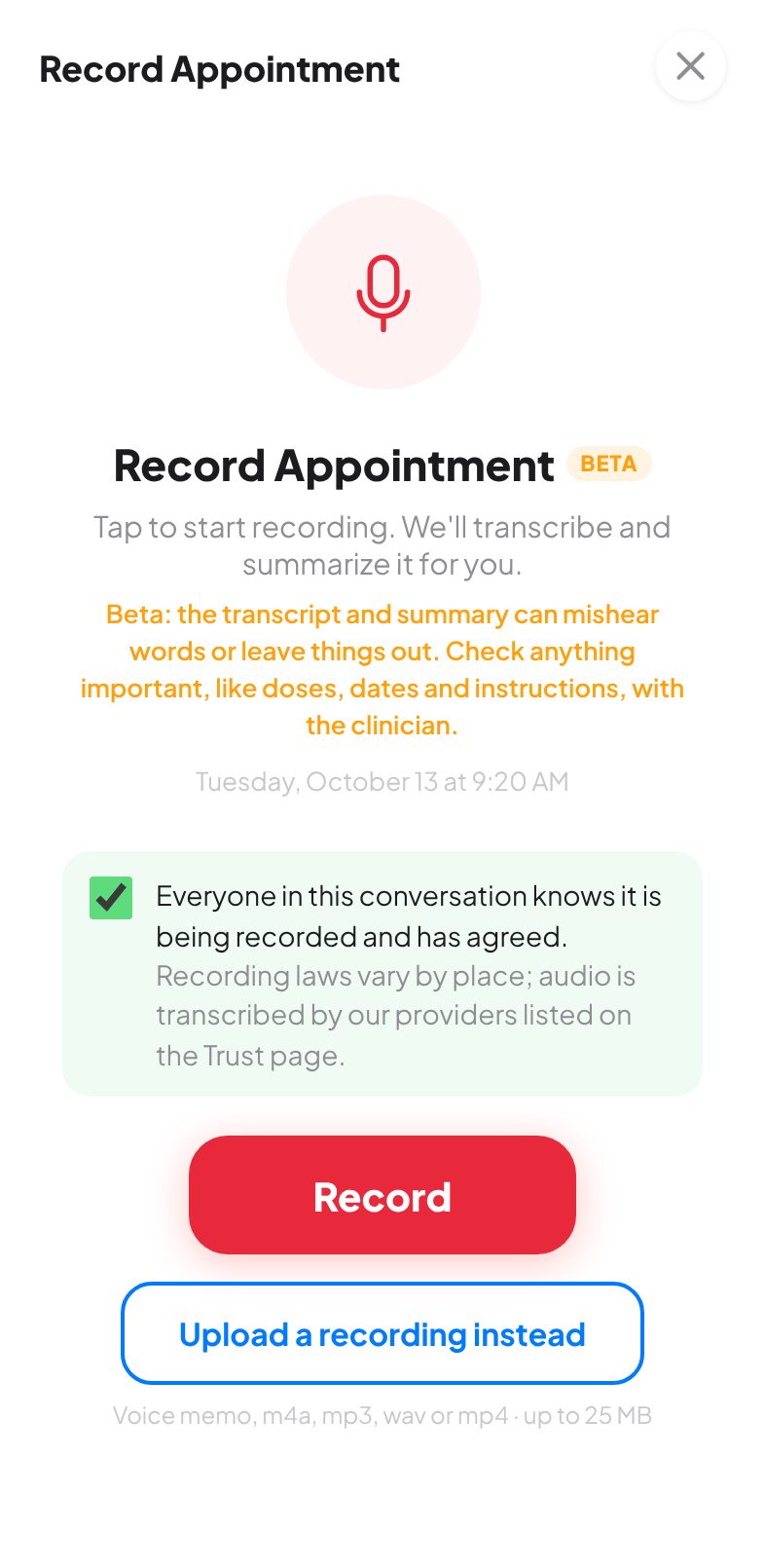
Upload a voice memo or audio file (m4a, mp3, wav, mp4, up to 25 MB) and get the same transcript and AI summary as a live recording
Face ID prompts only appear when the server supports passkeys, and Sign-in & Security explains exactly what is missing
Collapsible sections read as one card: no more dark band under the header
v1.6.0 · Real Care Links, admin roles, safer files, everything the audit found
September 3, 2026
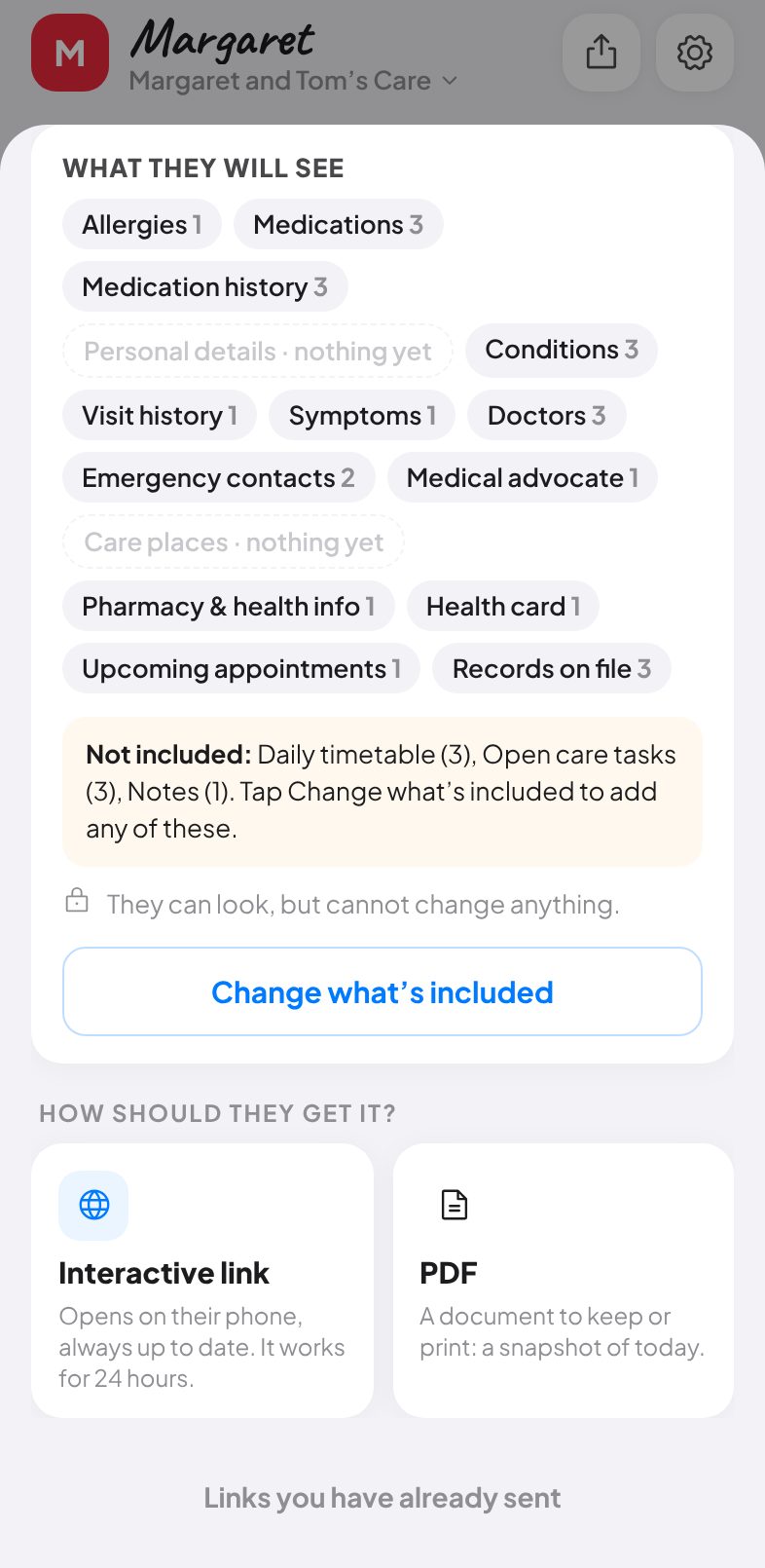
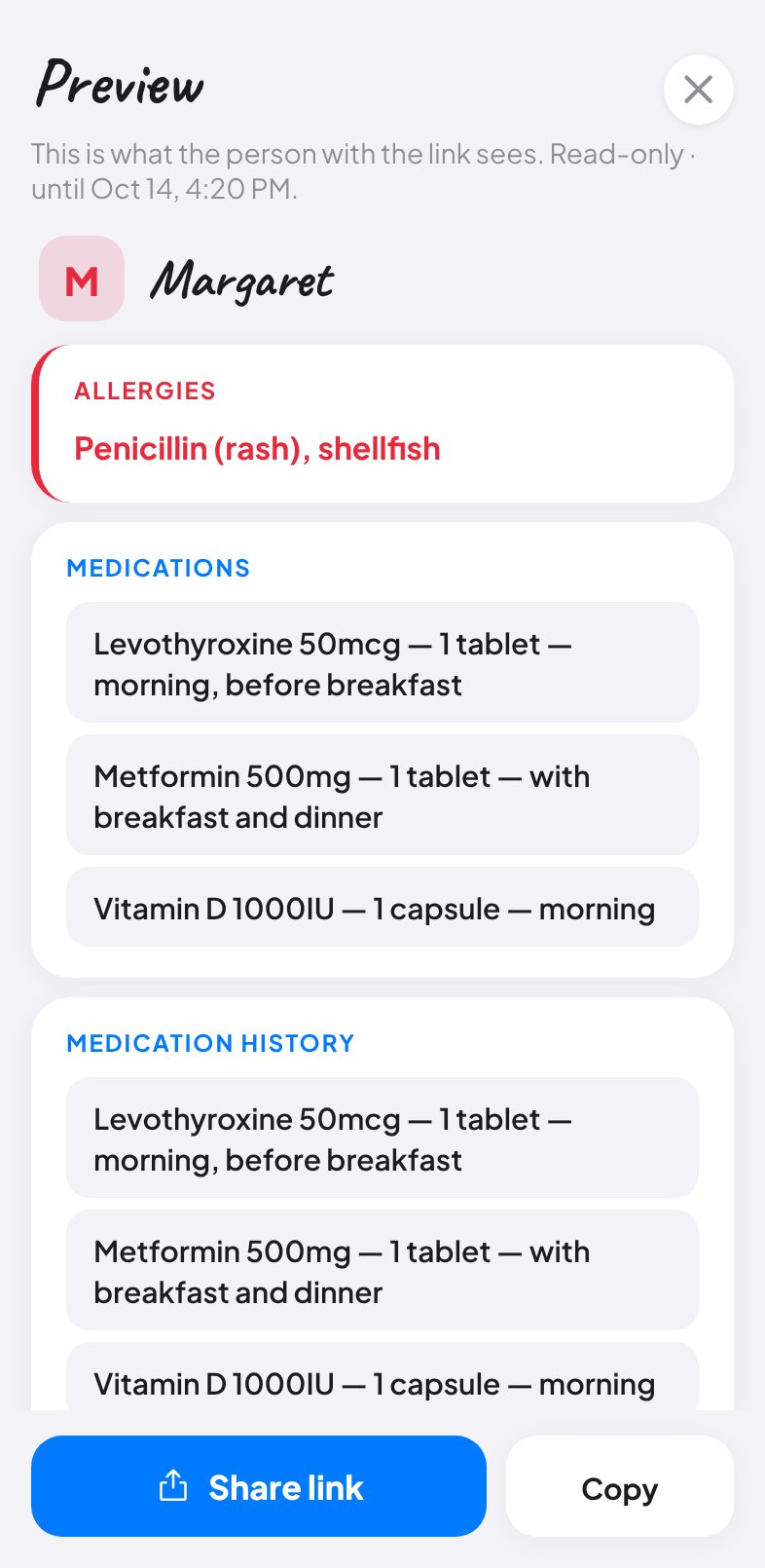
Care Links are real: create a read-only link for a babysitter, school or doctor, choose the sections, set an expiry, see how often it was opened, and turn it off from Team & Sharing
Admin vs member roles are enforced: only admins can add or remove people, change the PIN, rename the group or promote others; the last admin can never be removed
Documents, MOST forms and health-card photos now upload to private file storage instead of being stored inside the record (existing files keep working)
Delete your own account from Sign-in & Security; groups where you were the only member are erased with their files
Password reset emails now land on a page that lets you choose a new password
Recurring appointments are stored once and expanded on the fly, so editing one no longer multiplies it
Undo only reverts what you changed instead of rolling back other people's edits
Fixed a crash risk when switching people quickly; calendar, Today and the meeting banner now agree on dates in every timezone
Privacy, Terms and Trust pages are public again
All dependencies updated; zero known vulnerabilities
v1.5.0 · Face ID sign-in for everyone, cleaner login, recording consent
September 3, 2026
Face ID / Touch ID sign-in for admins as well as family members, with no email needed first
New sign-in screen: one email box, a Family PIN / Password switch, and a one-tap passkey button
Sign-in & Security is in the app menu and in Settings → Security
Removed the unfinished Photos control from People in Care
Header and bottom bar line up with the content column on tablets and desktop; pinch-to-zoom re-enabled
Recording asks you to confirm everyone has agreed before it starts
Privacy Policy, Terms and Trust page rewritten to match exactly what the app does

Earlier highlights

🎙️

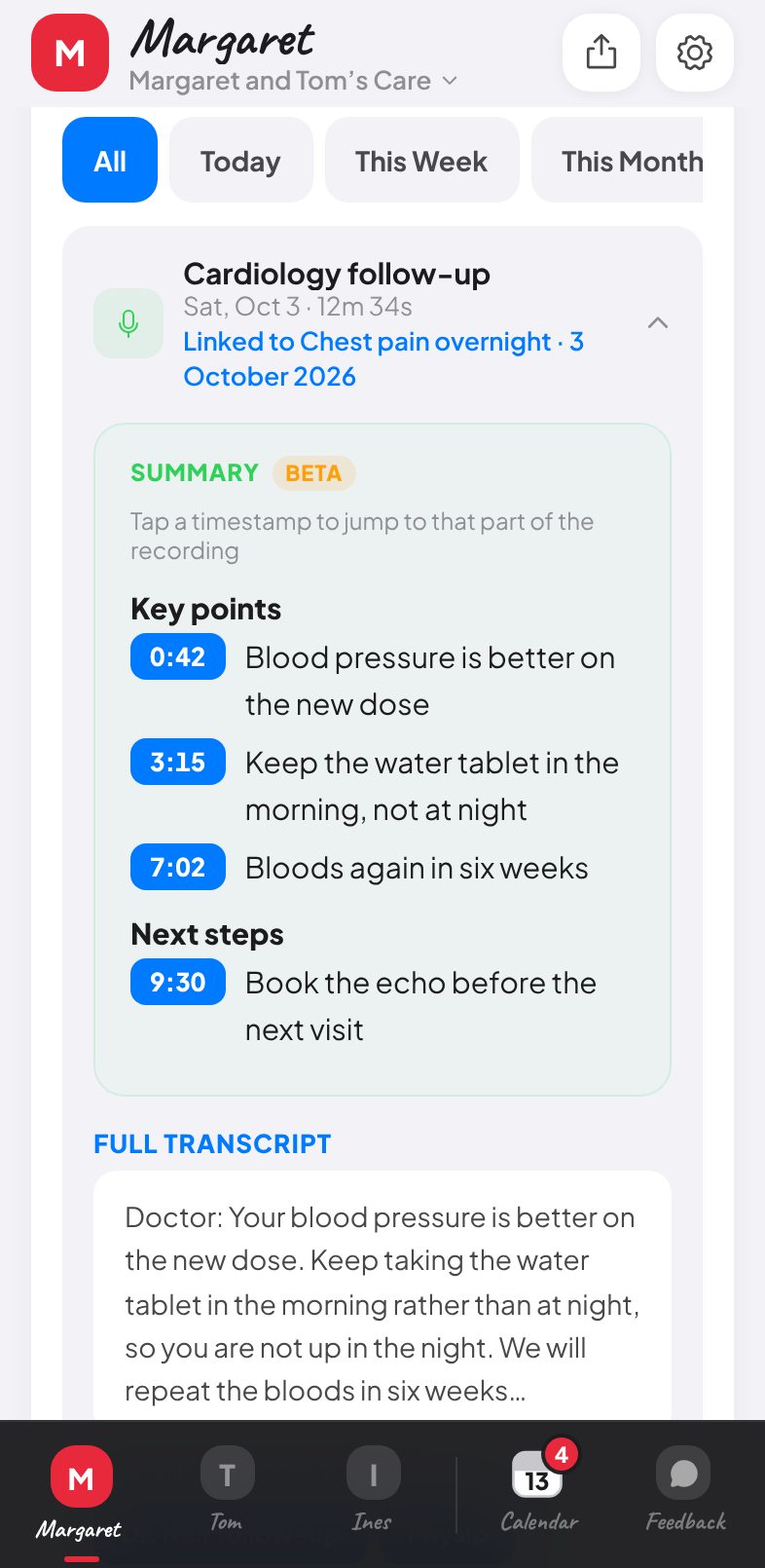
Appointment Recording

Beta
0:120:34
Summary
Tap a timestamp to jump to that moment
0:00
Doctor reviewed current medications
0:12
Blood pressure stable at 120/80
0:25
Follow-up scheduled in 2 weeks
  • Record any appointment with a single tap
  • Sonos-style mic check ensures audio quality before recording
  • AI creates timestamped summaries — tap any timestamp to hear that exact moment
  • Waveform visualizer shows real-time audio during recording
  • Review with playback controls and editable transcript before saving
🌙

Dark Mode

Light
Dark
  • Full dark mode across every screen and overlay
  • Toggle in Settings with automatic preference persistence
  • Tuned contrast ratios for readability in low light
🛡️

Better Data Protection

💊Medications
🚨Allergies
  • Per-section edit toggles — only visible when expanded
  • Edit controls hidden by default, preventing accidental changes
  • All deletions require confirmation through a dedicated confirm sheet

Other Refinements

  • Consistent solid-fill buttons across 50+ actions app-wide
  • Sections collapsed by default for cleaner views
  • Document renaming and multi-file uploads
  • Pull-to-refresh and smooth delete animations
  • Fixed crashes, audio bugs, and AI hallucinations
  • Prompt caching for faster AI responses
Made with ❤️ by Jamie and Belle